可能原因
1.端口冲突检查端口号
2.缺少 web 启动依赖
<!-- web -->
<dependency>
    <groupId>org.springframework.boot</groupId>
    <artifactId>spring-boot-starter-web</artifactId>
</dependency>
...小于 1 分钟
1.端口冲突检查端口号
2.缺少 web 启动依赖
<!-- web -->
<dependency>
<groupId>org.springframework.boot</groupId>
<artifactId>spring-boot-starter-web</artifactId>
</dependency>
# https://help.aliyun.com/document_detail/365559.html
# HTTPS协议默认端口号为443,需要使用其他端口时,您可以在此处自定义。
server.port=8002
# https://docs.oracle.com/en/java/javase/11/docs/specs/security/standard-names.html#keystore-types
# 您需要使用实际的证书名称替换domain_name.pfx。
server.ssl.key-store=classpath:v4.pfx
# 填写pfx-password.txt文件内的密码。
server.ssl.key-store-password=${SSL_KEY_PASSWORD}
server.ssl.keyStoreType=PKCS12
IDEA->new->Project,创建一个SpringBoot项目。
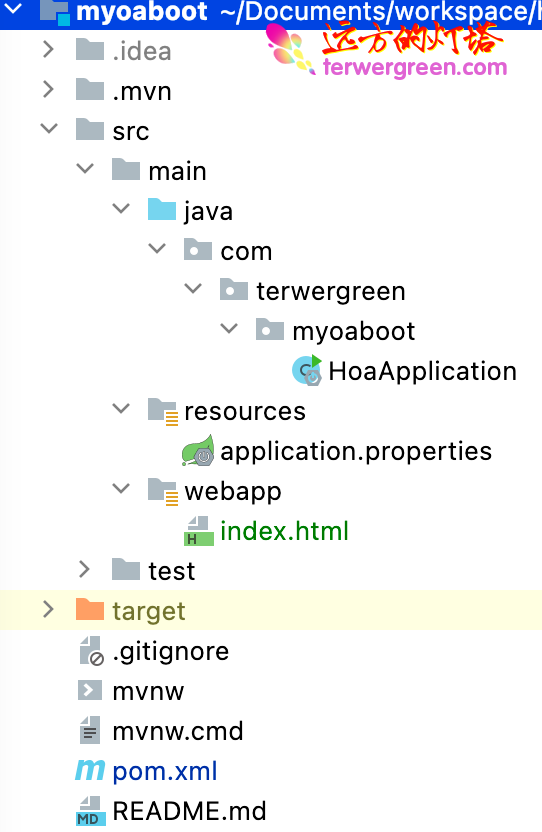
培训pom.xml,在build节点添加下面内容,使得webapp的静态资源能访问
<build>
    <plugins>
        <plugin>
            <groupId>org.springframework.boot</groupId>
            <artifactId>spring-boot-maven-plugin</artifactId>
        </plugin>
    </plugins>
    <!-- 添加访问静态资源文件 -->
    <!-- 代码的作用是让src/main/webapp在编译的时候在resoureces路径下也生成webapp的文件 -->
    <resources>
        <resource>
            <directory>src/main/webapp</directory>
            <targetPath>META-INF/resources</targetPath>
            <includes>
                <include>**/**</include>
            </includes>
        </resource>
        <resource>
            <directory>src/main/resources</directory>
            <filtering>true</filtering>
        </resource>
    </resources>
</build>
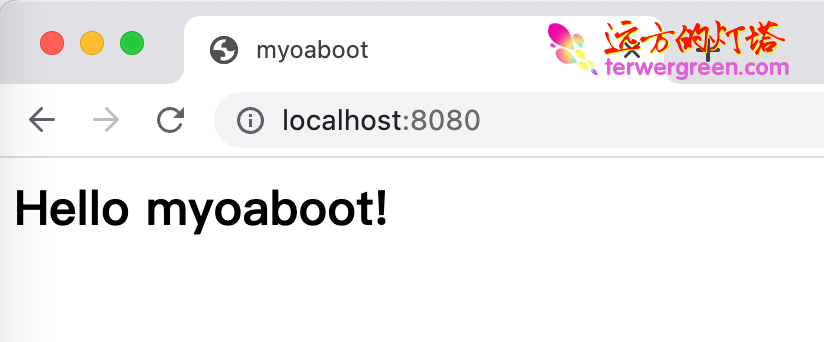
查看运行结果