Struts2的Action中自定义方法的输入校验

自定义方法的输入校验

  1. 对于通过 action​ 的 method​ 属性所指定的自定义方法 myExecute​ ,其对应的自定义输入校验方法名为 validateMyExecute​ 。 (底层是通过反射调用的)

    public void validateMyExecute() {
    	System.out.println("validateMyExecute invoked");
    
    	 this.addActionError("action error");
    }
    
    public String myExecute() throws Exception {
    	System.out.println("myExecute invoked");
    	return SUCCESS;
    }
    
  2. 校验方法的执行顺序

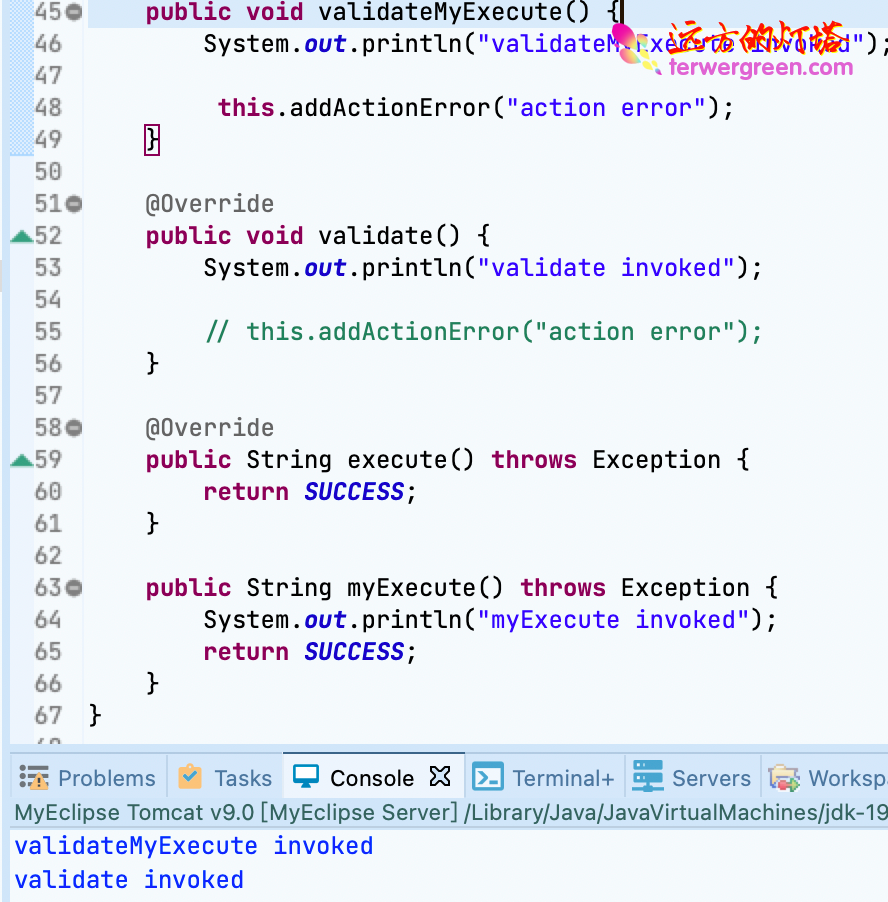
    当在 Action​ 中指定了自定义的 execute​ 方法时,首先会执行自定义的 execute​ 方法所对应的输入校验方法,然后再去执行 validate​ 方法,执行完毕之后如果出现了任何错误都不会再去执行自定义的 execute​ 方法,流程转向了 input​ 这个名字所对应的页面上。

    public void validateMyExecute() {
    	System.out.println("validateMyExecute invoked");
    
    	 this.addActionError("action error");
    }
    
    @Override
    public void validate() {
    	System.out.println("validate invoked");
    
    	// this.addActionError("action error");
    }
    
    @Override
    public String execute() throws Exception {
    	return SUCCESS;
    }
    
    public String myExecute() throws Exception {
    	System.out.println("myExecute invoked");
    	return SUCCESS;
    }
    // validateMyExecute invoked
    // validate invoked
    

    效果


Terwer...大约 2 分钟后端开发Struts2方法自定义校验执行输入信息customvalidatemsgmessage
Struts2输入校验剖析之编码方式校验

Struts2 提供了两种校验方式。

使用编码方式进行校验

新建 register.jsp 页面

<%@ page language="java" contentType="text/html; charset=UTF-8"
	pageEncoding="UTF-8"%>
<%@ taglib prefix="s" uri="/struts-tags"%>

<!DOCTYPE html>
<html>
<head>
<meta charset="UTF-8">
<title>Register</title>
</head>
<body>
	<h2 style="color:blue;">用户注册</h2>

	<s:actionerror cssStyle="color:red;" />

	----------------------------------------------------------------------

	<%--
	<form action="register.action">
		username: <input type="text" name="username" size="20" /><br/>
		password: <input type="password" name="password" size="20" /><br/>
		repassword: <input type="password" name="repassword" size="20" /><br/>
		age: <input type="text" name="age" size="20" /><br/>
		birthday: <input type="text" name="birthday" size="20"/><br/>
		geaduation: <input type="text" name="graduation" size="20"/><br/>
	
		<input type="submit" value="submit"/>
	</form>
	 --%>

	<s:fielderror cssStyle="color:blue;"></s:fielderror>
	<s:form action="register" theme="simple">
		username:<s:textfield name="username" label="username"></s:textfield><br/>
		password: <s:password name="password" label="password"></s:password><br/>
		repassword: <s:password name="repassword" label="repassword"></s:password><br/>
		age: <s:textfield name="age" label="age"></s:textfield><br/>
		birthday: <s:textfield name="birthday" label="birthday"></s:textfield><br/>
		geaduation: <s:textfield name="graduation" label="graduation"></s:textfield><br/>
	
		<s:submit value="submit"></s:submit>
	</s:form>

	<%--
	<s:form action="register">
		<s:textfield name="username" label="username"></s:textfield>
		<s:password name="password" label="password"></s:password>
		<s:password name="repassword" label="repassword"></s:password>
		<s:textfield name="age" label="age"></s:textfield>
		<s:textfield name="birthday" label="birthday"></s:textfield>
		<s:textfield name="graduation" label="graduation"></s:textfield>
	
		<s:submit value="submit"></s:submit>
	</s:form>
	--%>
</body>
</html>

Terwer...大约 4 分钟后端开发Struts2方法错误集合校验进行struts2strutscodevalidate